
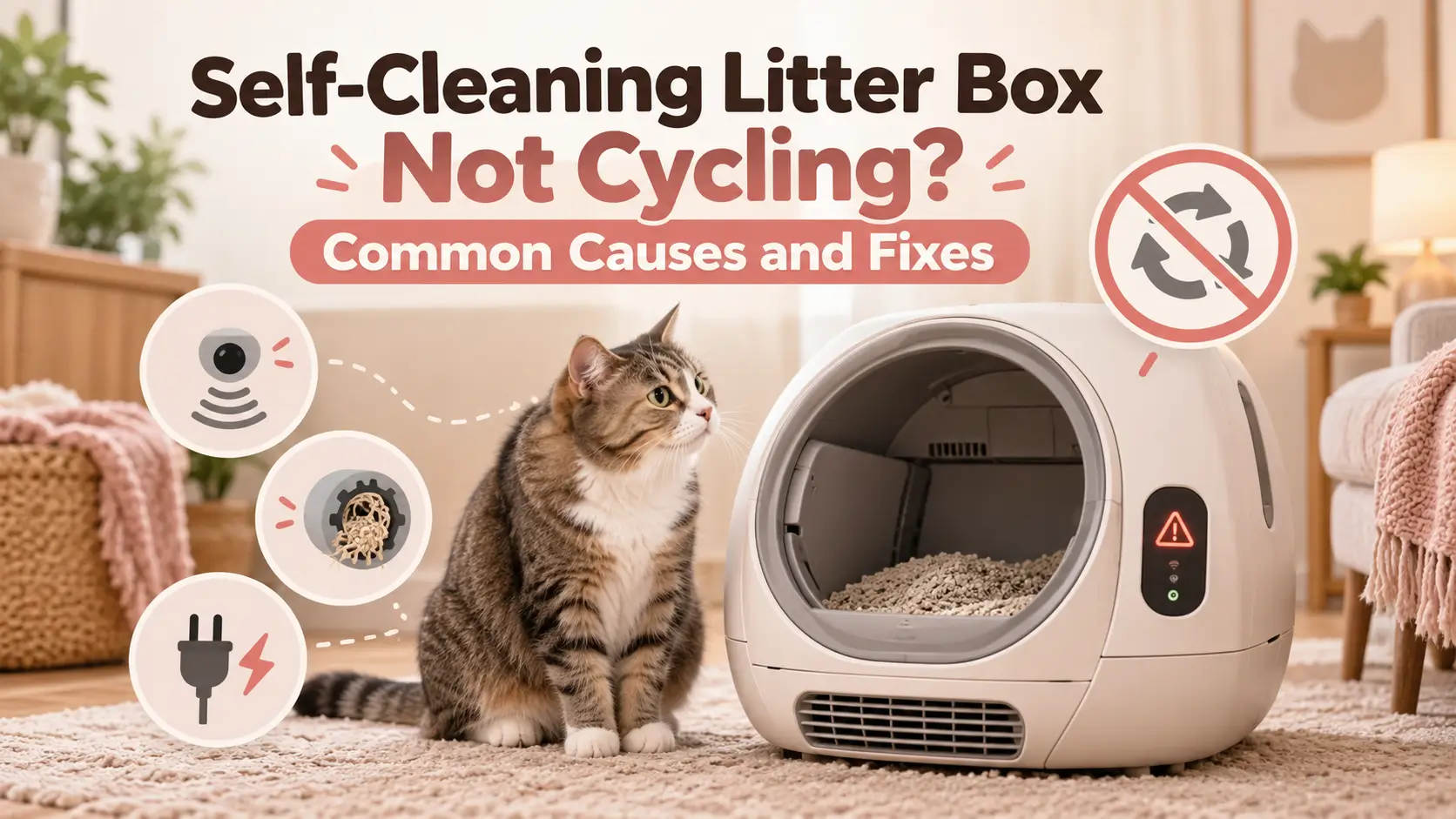
💡 Quick Answer
Is your self-cleaning litter box not cycling after your cat leaves? First wait for the programmed delay, confirm automatic cleaning isn’t paused, and check the waste drawer and litter level. Then inspect floor placement, clean accessible sensors, and try one manual cycle. Stop if the drum jams or a safety warning persists.
A self-cleaning litter box can make cat care noticeably easier—until the cleaning cycle suddenly stops working.
Your cat finishes using the box and walks away. You expect the drum to rotate, separate the clumps, and deposit waste into the collection drawer.
But nothing happens.
Sometimes the box shows a warning light. Other times, the app says everything is normal even though yesterday’s clumps are still sitting in the litter.
Perhaps the device starts rotating and stops halfway. Or it cleans when you press a button but no longer responds automatically after your cat uses it.
These symptoms may look similar, but they point to different problems.
A full waste drawer can prevent automatic cleaning. So can an active sleep schedule, an incorrect weight-sensor reading, or a safety sensor detecting movement near the entrance.
A mechanical jam is a different situation—and trying to force the device through its cycle can make matters worse.
The goal of troubleshooting is to identify why the machine is refusing to cycle, then restore normal operation without compromising the protections designed to keep your cat safe.
This guide explains the most common causes, how to diagnose them, and which steps are appropriate for Litter-Robot, PETKIT, and other rotating automatic litter boxes.
Safety first: Never try to force a cleaning cycle while a cat is inside or approaching the machine. Do not bypass, cover, disconnect, or defeat safety sensors. If the box cannot clean safely, switch to manual scooping or provide a conventional litter box until the fault is resolved.
How We Prepared This Guide: These recommendations are based on official manufacturer troubleshooting information, documented device behavior, and general principles of safe equipment maintenance. PetsVibe Tech has not independently repaired every product discussed. Model-specific instructions take priority over general troubleshooting advice.
🔎 Diagnose the Problem Before You Start
The most useful first question is:
Will the litter box complete a cleaning cycle when you request one manually?
This separates many automatic-detection problems from mechanical failures.
Quick Troubleshooting Table
| What Happens | Likely Cause | First Thing to Check |
|---|---|---|
| Never cycles after the cat leaves | Delay, sleep mode, or automatic cleaning disabled | Cleaning settings |
| Manual cycle works, automatic cycle doesn’t | Cat detection or configuration | Sensors and auto-clean setting |
| Starts rotating, then pauses | Cat-presence safety detection | Cat nearby, sensor status |
| Stops halfway through rotation | Obstruction, overload, or motor fault | Litter amount and drum movement |
| Shows waste drawer full | Full bin or false level detection | Waste drawer and liner |
| Shows cat detected continuously | Weight or entrance sensor issue | Floor placement and sensors |
| Motor makes grinding noises | Mechanical resistance or misalignment | Stop operation and inspect safely |
| App says offline | Network or power issue | Power and local control panel |
| No lights or display | Power supply or electronics | Adapter and outlet |
| Worked before adding litter, then stopped | Excess weight or incorrect scale baseline | Fill line and model-specific reset |
The Two-Minute Manual-Cycle Test
Only perform this test when your cat is safely away from the machine and the device is not showing a persistent safety fault.
- Look inside the litter box and confirm it is empty.
- Check for any obvious obstruction.
- Confirm the device is powered on.
- Identify the model’s normal manual-clean command.
- Request one cleaning cycle using the manufacturer’s instructions.
- Watch the complete operation without touching the moving drum.
- Note any warning message or unusual noise.
If Manual Cleaning Works
The motor and rotation system can operate, at least during this test.
The next suspects are automatic-cleaning settings, cat detection, cycle delays, or intermittent sensor problems.
If Manual Cleaning Doesn’t Work
Look for a safety warning, full-bin status, jam, excess litter, or power problem.
Do not repeatedly command a machine to rotate against resistance.
If the Machine Stops When Your Cat Approaches
That may be completely normal.
Many automatic litter boxes intentionally interrupt rotation when they detect a cat nearby.
A safety-related pause is not automatically a mechanical failure.
📖 In This Guide
1. Why Automatic Litter Boxes Stop Cycling
2. Nine Safe Troubleshooting Fixes
3. Litter-Robot 4 Model-Specific Checks
4. PETKIT Model-Specific Checks
5. How to Identify Sensor vs Motor Problems
6. When to Repair, Replace, or Contact Support
7. Preventing Future Cycling Problems
8. Frequently Asked Questions
🐈 Why Do Self-Cleaning Litter Boxes Stop Cycling?
Automatic litter boxes rely on several systems working together.
The control system must know when cleaning is allowed to begin.
The sensors must confirm that no cat is in danger.
The mechanical components must be able to move freely.
And the waste-collection area must have enough capacity to receive the next batch of clumps.
If one condition is not satisfied, the machine may delay or stop rotation.
Normal Delay vs Actual Malfunction
After a cat leaves, many automatic litter boxes wait before cleaning.
The delay gives litter time to clump and allows the pet to move away.
For example, Litter-Robot 4 has a default seven-minute delay and allows compatible settings between three and thirty minutes.
If you expect immediate rotation, a normal countdown can look like a failure.
Safety-Related Stops
A self-cleaning litter box may stop when:
- A cat enters the unit.
- A cat approaches the opening.
- A sensor detects added weight.
- A pinch-protection mechanism activates.
- A protective lid or component is not properly installed.
These interruptions are intentional.
Maintenance-Related Stops
A full waste drawer, excess litter, dirty sensors, or incorrectly installed liner can prevent normal operation.
Mechanical Stops
A rotating drum can also fail because of an obstruction, misaligned component, or actual motor problem.
The correct fix depends on which condition is present.
🛠️ Nine Fixes for a Self-Cleaning Litter Box That Won’t Cycle
1. Check the Cleaning Delay and Sleep Mode
Best for: A machine that seems normal but doesn’t begin cleaning after your cat leaves.
Before assuming something is broken, check whether the device is actually supposed to run yet.
Most self-cleaning boxes are programmed to wait after a detected visit.
A delay might be several minutes or longer, depending on the selected settings.
What to Do
- Confirm the cat has completely exited.
- Wait for the full programmed cleaning delay.
- Open the manufacturer’s app or control panel.
- Check whether automatic cleaning is enabled.
- Review the selected delay.
- Check for sleep, quiet, or scheduled cleaning modes.
- Make one supported adjustment at a time.
- Observe the next normal use.
Litter-Robot 4 Example
The default delay is seven minutes.
Its sleep mode can suspend automatic cleaning for an eight-hour period, with cleaning deferred until the device exits sleep mode.
A purple light indicates the sleep-mode state described by the manufacturer.
If the machine is otherwise functioning normally, review sleep mode before attempting more involved troubleshooting.
PETKIT Example
PETKIT offers automatic and periodic cleaning options on supported products.
The device may follow a scheduled or interval-based cleaning configuration rather than rotating after every individual visit.
Check the current mode in the PETKIT app.
How to Know This Fixed It
The device recognizes an ordinary visit, waits for the intended interval, and then completes a cycle without intervention.
Expert tip: If manual cleaning succeeds but automatic cleaning never begins, investigate the control settings and cat-detection process before assuming the motor has failed.
2. Empty the Waste Drawer and Check Its Sensors
Best for: Drawer-full notifications, flashing indicators, or a box that worked until the waste compartment filled.
Many automatic litter boxes monitor the waste drawer.
Some intentionally stop further automatic cleaning after detecting that the drawer is full.
This protects against overflowing waste and mechanical interference.
What to Do
- Turn off the device if required by its maintenance instructions.
- Remove the waste drawer.
- Dispose of the collected waste.
- Inspect the drawer for accumulated litter or debris.
- Replace the liner correctly.
- Flatten loose sections of the liner.
- Reinsert the drawer completely.
- Clear the drawer-full status using the model’s documented method.
- Test one normal cleaning cycle.
A Common Problem: The Liner Looks Like Waste
Some sensors measure the height of material inside the drawer.
A loose or inflated waste bag may sit in the sensor’s path.
The device can interpret the bag as a full drawer even when relatively little waste is present.
PETKIT also describes incorrectly fitted waste bags as a possible cause of false fullness detection on supported models.
Litter-Robot 4 Example
Litter-Robot 4 can display a flashing blue light when the waste drawer is full.
The manufacturer documents additional cycles before automatic cleaning is eventually disabled.
Emptying the drawer and resetting the appropriate status is necessary to restore normal behavior.
What If the Drawer Is Already Empty?
Do not assume the warning must be an electronic fault.
Check:
- Whether the bag is lying flat
- Whether litter or dust is blocking the sensor
- Whether the drawer is inserted fully
- Whether the sensor surface is clean
- Whether the drawer-full indicator has been properly cleared
Expected result: The false or genuine full-bin warning disappears and automatic cleaning resumes.
3. Remove Excess Litter and Check the Litter Type
Best for: A box that stopped after refilling, changing litter brands, or adding more litter than usual.
Automatic litter boxes have specific loading limits.
More litter is not necessarily better.
An overfilled drum can increase rotational resistance or interfere with weight detection.
Some machines may interpret the extra weight as an occupied litter box.
What to Do
- Check the fill line inside the drum.
- Remove litter above the manufacturer’s recommended level.
- Verify that the litter type is compatible.
- Look for large hardened clumps or foreign objects.
- Confirm that the sifting mechanism is not obstructed.
- Perform the model’s documented scale reset if required.
- Run a controlled manual cycle.
Why Litter Type Matters
Many rotating litter boxes are designed around suitable clumping litter.
Litter that fails to form manageable clumps may not separate effectively.
Some plant-based litters are compatible with specific models, while other machines have more restrictive requirements.
PETKIT states that many of its litter boxes work with clumping bentonite, tofu, or mixed litter, but also identifies product-specific exceptions, including models requiring crystal litter.
Never assume that one manufacturer’s compatible litter list applies to every automatic litter box.
A Problem After Switching Brands
Suppose your previous litter was relatively lightweight and formed firm clumps.
You replace it with a much heavier product.
Now the machine stops midway through cleaning.
That doesn’t prove the new litter is incompatible, but the weight and clumping behavior deserve investigation.
Return to the approved fill level and review the model’s compatibility requirements.
How to Know This Fixed It
The drum rotates smoothly and separates waste without overload warnings or repeated interruptions.
4. Check Placement, Floor Level, and Pressure on the Base
Best for: False cat-detection alerts, repeated scale errors, or cycling problems after moving the unit.
This is one of the most overlooked causes of automatic cleaning failures.
Some machines use weight sensors in their base.
Those sensors need an accurate baseline to detect when a cat enters and leaves.
If the machine sits on an unstable surface or one foot bears weight differently, the readings can become unreliable.
What to Do
- Place the litter box on a firm, stable, level floor.
- Check that all supporting feet make proper contact.
- Remove cords or other objects trapped beneath the base.
- Move thick litter mats away from the supporting feet.
- Ensure the unit isn’t pressing against nearby furniture or walls where prohibited.
- Perform the documented sensor reset or recalibration.
- Observe the next detected visit.
Why Carpet Can Be a Problem
Soft carpet can compress unevenly.
That may affect the readings from a weight-sensitive base.
Litter-Robot specifically advises using a firm, level surface and keeping cords, mats, and uneven flooring away from its supporting feet.
What If You Must Use Carpet?
Check whether the manufacturer offers an approved accessory or installation method for carpeted floors.
Do not improvise a platform that rocks or shifts during operation.
How to Know This Fixed It
The machine no longer reports a cat continuously present when the chamber is empty.
Automatic cleaning begins after a correctly detected visit and normal delay.
5. Clean the Cat-Detection and Safety Sensors
Best for: Persistent cat-detected messages, false pauses, or a box that refuses to cycle even when empty.
Sensor problems are common because automatic litter boxes operate in a dusty environment.
Fine litter dust, cat hair, and debris can collect around entrance sensors and measurement surfaces.
Depending on the machine, this may affect the ability to distinguish an approaching cat from an empty chamber.
Important: Different Sensors Do Different Jobs
A self-cleaning litter box may contain:
- Weight sensors
- Infrared entrance sensors
- Laser curtain sensors
- Waste-level sensors
- Position sensors
- Anti-pinch detectors
Cleaning one sensor does not necessarily resolve a problem involving another.
Safe Cleaning Procedure
- Confirm the chamber is empty.
- Switch off and unplug the device according to its manual.
- Locate the accessible sensor surfaces.
- Remove visible dust with a clean, dry, soft cloth.
- Use a manufacturer-approved soft brush or vacuum attachment where permitted.
- Avoid scratching sensor lenses.
- Keep liquids away from electronic openings.
- Reconnect power.
- Complete any required reset or calibration.
- Test the device only when the area is clear.
Litter-Robot 4 Example
Litter-Robot 4 uses laser curtain sensors in the upper opening, along with weight sensors in its base.
Whisker advises cleaning the upper sensor area when dust or hair contributes to detection errors.
An alternating red-and-blue light is one documented indication that the curtain sensors need attention.
What If Cleaning Doesn’t Help?
Check whether the device displays a specific sensor error.
If the warning remains after proper cleaning and supported calibration, contact the manufacturer.
Do not disable the sensor to make the machine run.
A litter box that refuses to rotate because a safety sensor is detecting danger is safer than one forced to rotate without that protection.
6. Inspect the Drum for Jams and Incorrect Assembly
Best for: A drum that starts and stops, struggles to turn, or makes grinding and clicking noises.
A mechanical obstruction requires a different response from an ordinary delay.
If the motor is pushing against resistance, repeated cycling attempts may damage components.
What to Do
- Stop the cleaning operation.
- Keep your cat away from the machine.
- Disconnect electrical power.
- Wait until all movement has stopped.
- Inspect accessible areas for an obstruction.
- Check for oversized clumps or trapped foreign objects.
- Look for incorrectly fitted removable components.
- Confirm that the drum is seated and secured as instructed.
- Reassemble the unit without forcing parts.
- Restore power and perform one controlled test.
Common Sources of Mechanical Resistance
- Oversized hardened waste clumps
- Excess litter
- A foreign object inside the drum
- A loose liner interfering with movement
- Incorrectly reinstalled removable parts
- A misaligned globe or cylinder
- Damaged mechanical components
What If You Recently Deep-Cleaned It?
Incorrect reassembly becomes a stronger possibility.
Check the drum position, covers, locking components, and approved assembly marks.
Do not force a drum into position if it doesn’t fit normally.
What If You Hear Grinding?
Stop testing.
Grinding may indicate a lodged object, damaged gear, or other mechanical problem.
Repeated attempts can worsen the fault.
Never put your fingers near moving gears or pinch points, even if the machine seems temporarily paused.
Expected result: The mechanism completes its normal cycle smoothly, without resistance or abnormal noise.
If it still stalls, contact the manufacturer.
7. Check Power and Restart the Device Safely
Best for: Frozen controls, no response to manual cleaning, or problems after a power interruption.
Smart litter boxes are electronic appliances.
An unstable connection, damaged adapter, or temporary software fault can affect operation.
What to Do
- Verify that the power outlet works.
- Inspect the cable for visible damage.
- Confirm the adapter matches the manufacturer’s requirements.
- Make sure the power connection is secure.
- If the manual permits it, switch the device off.
- Disconnect power briefly.
- Reconnect and allow startup to finish.
- Check for status errors.
- Test the normal manual-clean command.
Use the original or manufacturer-approved power supply.
Do not assume another adapter is safe merely because the plug fits.
What If the Device Stopped After an Outage?
Check whether it has returned to the correct home position.
Some machines automatically perform an initialization movement after restarting.
Others may require a documented recovery procedure.
Let the device complete its normal startup while keeping pets away from the moving components.
When Not to Restart Repeatedly
If you notice:
- Burning smells
- Sparks
- Water inside the electronic base
- An overheating adapter
- Damaged wiring
- Severe mechanical resistance
Stop using the device.
A restart is not an appropriate fix for an electrical or mechanical safety hazard.
8. Check Automatic Cleaning Settings, App Status, and Firmware
Best for: A machine that can clean manually but doesn’t perform automatic cleaning, or whose app displays inconsistent information.
Some modern litter boxes offer several cleaning modes.
These may include automatic cleaning after each visit, scheduled cleaning, or a quiet period during which rotation is deferred.
If automatic cleaning was disabled accidentally, the machine may appear faulty while operating exactly as configured.
What to Check
- Automatic cleaning enabled or disabled
- Cleaning delay
- Sleep mode
- Quiet hours
- Scheduled cleaning mode
- Safety warnings
- Waste-bin status
- Firmware version
- Device connectivity
Don’t Confuse Wi-Fi Problems With Motor Problems
A camera or litter box showing Offline in its app does not necessarily mean the motor itself has failed.
Some devices can still perform local automatic functions without an active internet connection.
Others rely on the app for certain configurations.
The correct behavior depends on the model.
Use the physical control panel, when supported, to distinguish a local operating problem from an app connection problem.
What About Firmware Updates?
A firmware update may resolve a documented software issue.
But updating firmware should not be your first response to grinding noises, a full drawer, or an obstruction.
If the device can connect normally:
- Check the official app.
- Review whether an update is offered.
- Ensure stable electrical power.
- Follow the manufacturer’s instructions.
- Do not interrupt the update.
- Test the device afterward.
If the box is stuck in an unsafe position, contact support before attempting configuration changes that might trigger movement.
Should You Factory-Reset It?
Not immediately.
A factory reset may erase configured schedules, settings, or device associations.
Try ordinary settings checks and the manufacturer’s non-destructive reset procedures first.
9. Recalibrate the Sensors and Verify One Complete Cleaning Cycle
Best for: Problems that began after cleaning, moving the box, changing litter, or replacing the waste liner.
Some litter boxes establish a reference reading for their weight sensors.
If the machine’s weight changes, that reference may need to be updated.
Litter-Robot 4 is a good example.
Whisker advises resetting its weight sensors after changes such as adding litter, moving the machine, or emptying the drawer.
What to Do
- Return the device to its normal operating position.
- Confirm the litter level is correct.
- Ensure the waste drawer is installed properly.
- Keep cats and people from touching the machine.
- Use the model’s documented reset or calibration command.
- Allow any calibration to finish.
- Confirm the ready status.
- Run one permitted manual cycle.
- Observe the next natural cat visit and automatic cycle.
Why You Shouldn’t Guess the Button Sequence
Different models use similar button labels for different functions.
On one device, a button may reset a scale.
On another, holding the same button may initiate factory reset, manual cleaning, or another operation.
Use the exact instructions for your hardware version.
How to Know the Problem Is Resolved
The machine should:
- Return to its correct home position
- Display its normal ready status
- Detect cat activity appropriately
- Wait for the programmed interval
- Complete a cleaning cycle without warnings
- Return to a safe, accessible state afterward
One successful manual cycle is encouraging, but automatic operation should also be verified.
🤖 Litter-Robot 4 Not Cycling: Model-Specific Checks
Litter-Robot 4 deserves separate attention because its warning lights provide useful information about the cause of a stoppage.
Its detection system combines laser and weight sensors.
Litter-Robot 4 Troubleshooting Table
| Display or Behavior | What It May Mean | Appropriate First Action |
|---|---|---|
| Solid blue | Ready | Check delay and automatic settings if no cycling occurs |
| Purple | Sleep mode | Review sleep schedule |
| Solid red | Cat detected or cycle-delay state | Confirm no cat remains and allow the delay |
| Flashing blue | Waste drawer full | Empty drawer and clear indicator |
| Alternating red and blue | Curtain sensors need cleaning | Clean approved sensor surfaces |
| Alternating blue and white | Motor connection fault | Stop repeated attempts; consult support instructions |
| Blue with flashing yellow section | Extended weight detection | Check litter level, placement, and scale reset |
| Pauses when cat approaches | Safety detection | Wait until the area is clear |
These are selected Litter-Robot 4 indications, not a complete light-code reference.
Check the official guide for the exact pattern shown by your unit.
Why Won’t Litter-Robot 4 Cycle Automatically?
Start with these questions:
- Has the full cleaning delay passed?
- Is sleep mode enabled?
- Is the waste drawer full?
- Is the unit above its litter fill line?
- Is the base resting on an uneven surface?
- Are the laser sensors clean?
- Has the scale been reset after maintenance?
- Is the cat heavy enough for automatic detection?
- Does the manual cycle operate normally?
What If Litter-Robot 4 Detects a Cat That Isn’t There?
False detection can occur if the weight baseline changes or the curtain sensors are obstructed.
Inspect floor placement, litter level, and sensor cleanliness.
Perform the documented reset only when the unit is empty and in the appropriate state.
What If the Waste Drawer Is Empty but the Light Flashes Blue?
Check the drawer liner and accessible waste-level detection area.
A liner that rises into the sensor’s detection path can create an inaccurate reading.
After correcting the liner, clear the full-drawer status using the manufacturer’s instructions.
What If Litter-Robot 4 Won’t Cycle After a New Litter Refill?
Remove excess litter above the maximum line.
Then reset the weight sensors as directed.
This is more appropriate than immediately assuming a motor fault.
What If the Motor Fault Remains?
An alternating blue-and-white light indicates a documented motor connection problem.
At that point, follow Whisker’s model-specific support procedure or contact support rather than repeatedly attempting manual cycles.
🐾 PETKIT Litter Box Not Rotating: What to Check
PETKIT uses different designs across its PURA and PUROBOT product families.
The precise menu names, sensors, and cleaning modes vary by generation.
Still, several common issues are worth investigating.
PETKIT Says “Cat Approaching”
A PETKIT litter box may pause cleaning when a cat approaches or enters the detection area.
That is a safety behavior.
If your cat frequently stands near the entrance watching the machine, the cycle may keep getting interrupted.
What to Do
- Allow the cat to move away naturally.
- Keep the surrounding area clear.
- Check whether the sensor is obstructed.
- Review whether the display returns to normal.
- Follow the model’s documented resume procedure only when the area is completely clear.
Do not cover the entrance sensor to force cleaning.
PETKIT Reports a Full Waste Bin
Check whether the waste compartment is actually full.
If it isn’t:
- Remove the drawer.
- Inspect the waste liner.
- Flatten loose material.
- Confirm the bag-retaining components are installed properly.
- Reinsert the drawer.
- Clear the warning using the model’s instructions.
PETKIT acknowledges that waste-bag positioning can interfere with fullness detection on supported machines.
PETKIT Stops During Rotation
First determine whether the interruption is triggered by a nearby cat or person.
If no one is near the device and the drum repeatedly stops, investigate:
- Excess litter
- Foreign objects
- Improper cylinder installation
- Mechanical obstruction
- Persistent safety-sensor alerts
Disconnect power before inspecting removable mechanical components.
PETKIT Manual Cleaning Works but Automatic Cleaning Doesn’t
Review the PETKIT app’s cleaning settings.
Depending on the model, automatic, periodic, and delay settings may affect when cleaning begins.
Also confirm that your cat meets the device’s minimum supported detection weight.
PETKIT’s current general transition guidance refers to cats weighing more than 3.3 pounds (1.5 kg), but you should verify the specific weight requirement for your model.
Don’t assume all PETKIT models share identical operating limits.
⚠️ What If Your Kitten Is Too Small for Automatic Detection?
Minimum-weight requirements are not optional details.
Some self-cleaning litter boxes rely partly on weight sensing to determine when a cat has entered or exited.
If a kitten is below the supported minimum, the system may not detect it reliably.
For example:
- Litter-Robot 4 specifies a minimum detection weight of approximately 3 pounds.
- PETKIT’s general guidance refers to kittens above approximately 3.3 pounds, subject to the model.
These figures are not universal standards.
What Should You Do?
Check the exact manufacturer’s age and weight guidance.
If your kitten is below the supported limit, keep automatic cleaning disabled and use a suitable conventional litter box or manufacturer-approved manual arrangement.
Never bypass the detection system to accommodate an undersized kitten.
Why This Matters
A box that fails to recognize a small cat may appear to work normally during manual tests.
That does not establish that its automatic operation is safe for that kitten.
Correct detection matters more than completing the cleaning cycle.
🧪 Sensor Problem or Motor Problem? How to Tell
You don’t need to open the motor housing to perform useful initial diagnostics.
Watch what the machine does.
| Test Result | More Likely Area |
|---|---|
| Manual cleaning completes, automatic cleaning doesn’t start | Configuration or cat detection |
| Drum begins rotating and stops when cat approaches | Normal safety behavior |
| Drum never moves and shows a motor warning | Motor or connection fault |
| Drum attempts to rotate against resistance | Jam or mechanical overload |
| Drawer warning remains after emptying | Drawer sensor or liner position |
| Cat remains detected while chamber is empty | Sensor, load, or placement issue |
| Machine runs only after moving to firm flooring | Weight-sensor placement issue |
| App shows offline but panel works | Connectivity rather than confirmed motor failure |
These observations narrow the possibilities; they don’t provide a definitive diagnosis.
Why Is the Distinction Important?
A motor problem won’t be fixed by changing the cleaning delay.
A disabled automatic-cleaning schedule won’t be fixed by disassembling the drum.
And a safety sensor detecting a nearby cat should never be defeated to make the machine rotate.
The safest and most efficient repair begins with the correct problem category.
🛡️ When Should You Stop Troubleshooting?
Some problems require professional assistance or replacement components.
Stop using automatic mode and contact the manufacturer if you notice:
- Persistent motor faults
- Repeated drum jams
- Grinding or cracking noises
- A drum stuck in a position that blocks safe exit
- Failure of cat-presence detection
- Repeated anti-pinch errors
- Damaged electrical wiring
- Overheating
- Water intrusion into electronics
- Broken or misaligned safety components
- Rotation that continues despite a cat entering the danger area
Never Bypass Safety Sensors
A machine that stops because of a safety warning may be behaving correctly.
Do not attach tape over infrared detectors, bridge sensor contacts, alter wiring, or install unauthorized components to defeat protection.
Even if doing so appears to restore rotation, it creates an unacceptable risk for your cat.
What If the Drum Is Stuck?
Switch off power if it is safe to do so.
Keep pets away from the machine.
If an animal is trapped or unable to exit, treat the situation as urgent and follow an appropriate emergency response rather than experimenting with controls.
What If Your Cat Needs the Litter Box While It’s Broken?
Provide a clean conventional litter box immediately.
Do not leave your cat dependent on a malfunctioning machine.
If your cat is repeatedly attempting to urinate but produces little or no urine, seek emergency veterinary care. A urinary obstruction can be life-threatening, particularly in male cats.
An automatic litter box fault should never delay urgent medical attention.
🔧 When Is Repair Better Than Replacement?
Not every cycling problem justifies buying a new litter box.
Consider the likely cause, product age, warranty, and availability of replacement parts.
| Situation | Recommended Approach |
|---|---|
| Incorrect schedule | Adjust settings |
| Full waste drawer | Empty and reset |
| Excess litter | Correct fill level |
| Dirty accessible sensor | Clean as instructed |
| Incorrectly assembled drum | Reassemble according to manual |
| Persistent sensor failure | Manufacturer support |
| Damaged motor or gears | Authorized repair or supported replacement |
| Unsafe mechanical design or unresolved safety fault | Stop use and consider replacement |
| End of software or parts support | Evaluate replacement options |
Before Contacting Support
Prepare:
- Exact manufacturer and model
- Serial number, if requested
- Description of the problem
- Light pattern or error message
- Firmware version, if available
- When the failure started
- Litter brand and type
- Whether manual cleaning works
- Whether the waste drawer is empty
- A short video of the fault, recorded safely
This helps support identify whether the issue involves a sensor, motor, or configuration.
🧼 How to Prevent Future Cycling Problems
Regular maintenance is less complicated than repeatedly diagnosing avoidable failures.
Every Day
Check that:
- Your cat can enter and exit comfortably.
- The box is in a safe ready state.
- Waste is being collected normally.
- There are no persistent error messages.
- The machine isn’t leaving waste in the drum for unusually long periods.
When Emptying the Waste Drawer
- Replace the liner correctly.
- Keep excess bag material away from sensors.
- Remove loose litter from accessible areas.
- Reset the relevant indicator if required.
- Confirm the drawer is fully inserted.
When Adding Litter
- Use an approved litter type.
- Stay below the maximum fill line.
- Avoid adding large amounts unnecessarily.
- Reset the weight sensor where required.
During Regular Cleaning
- Disconnect power before maintenance.
- Clean removable components according to the manual.
- Remove dust from accessible sensors.
- Inspect the drum and waste path.
- Check that covers and locking parts fit correctly.
- Keep electronic components dry.
After Moving the Machine
- Check that all feet rest evenly.
- Keep cords and mats from underneath the base.
- Leave appropriate clearance from walls.
- Recalibrate if the manufacturer requires it.
After App or Firmware Changes
Check the automatic-cleaning settings again.
Observe the next complete cleaning cycle.
Before Traveling
Verify that:
- The box completes a normal automatic cycle.
- The waste drawer has adequate capacity.
- The selected litter remains at the proper level.
- No safety warning is active.
- A conventional backup litter box is available.
- A responsible person can check on your cat.
Automatic cleaning should reduce daily maintenance—not eliminate routine checks on your cat’s toilet access.
✅ How to Confirm Your Self-Cleaning Litter Box Is Fixed
One successful manual cycle doesn’t prove that automatic cleaning has been restored.
Use the following checks before relying on the machine again.
Final Verification Checklist
| Test | Passing Result |
|---|---|
| Power | Device starts normally |
| Ready status | No unresolved safety warning |
| Waste drawer | Empty or within allowed capacity |
| Litter level | Within manufacturer’s fill limits |
| Placement | Firm, level, unobstructed |
| Manual cycle | Completes without jamming |
| Cat detection | Recognizes an eligible cat appropriately |
| Cycle delay | Begins after the correct interval |
| Safety pause | Stops or pauses correctly when safety detection activates |
| Automatic return | Returns to normal home position |
| Repeated operation | Works consistently across ordinary use |
Test the Real Problem, Not Just the Motor
If your original problem was that the box never cycled after your cat used it, observe an actual detected visit.
Make sure the cat can exit comfortably.
Allow the normal countdown.
Then confirm that automatic cleaning completes without intervention.
If the machine only works when you press Clean Now, the original automatic-detection issue may still be present.
❓ Frequently Asked Questions
1. Why is my self-cleaning litter box not cycling?
Common causes include a cleaning delay, sleep mode, full waste drawer, excess litter, dirty sensors, incorrect floor placement, or mechanical obstruction. Start by checking whether a manual cleaning cycle works.
2. Why does my automatic litter box work manually but not automatically?
The motor may be functional while automatic cleaning is disabled, delayed, or prevented by cat-detection settings. Check the cleaning mode, weight sensors, and any persistent safety status.
3. Why is my Litter-Robot 4 not cycling after my cat leaves?
Litter-Robot 4 normally waits after detecting a visit. Its default delay is seven minutes. Sleep mode, false weight readings, a full waste drawer, or sensor errors may also prevent automatic cleaning.
4. What does a flashing blue light on Litter-Robot 4 mean?
A flashing blue light commonly indicates a full waste drawer. Empty the compartment, check the liner, and clear the warning according to Whisker’s instructions.
5. Can too much litter stop an automatic litter box from cycling?
Yes. Excess litter can increase mechanical load or affect weight detection. Keep the litter below the model’s maximum fill line.
6. Why does my PETKIT litter box stop rotating when my cat walks past it?
Many PETKIT models pause cleaning when sensors detect a cat approaching. This is a safety feature. Allow the area to clear and follow the model’s normal resume procedure.
7. Can I clean automatic litter box sensors myself?
Accessible sensors can generally be cleaned using manufacturer-approved methods. Avoid liquid entering electronics, and never disassemble or bypass protected safety components.
8. Does a self-cleaning litter box need Wi-Fi to cycle?
It depends on the model. Some devices can perform locally controlled automatic cleaning without an internet connection. Wi-Fi may be required for remote monitoring, configuration, or app-based features.
9. Why does my automatic litter box stop halfway through a cycle?
Possible causes include cat-presence detection, a pinch-safety warning, excess litter, a mechanical obstruction, or motor resistance. Stop repeated attempts if the device reports a persistent fault or makes abnormal noises.
10. How do I reset a self-cleaning litter box?
Use the manufacturer’s reset instructions for the exact model. A sensor recalibration, ordinary restart, and factory reset are different operations. Avoid a factory reset until simpler checks have failed.
11. Can a kitten safely use an automatic litter box?
Only if the kitten meets the manufacturer’s age, size, and minimum weight requirements. Some systems rely on weight detection. Use manual operation or a conventional box when automatic detection cannot be trusted.
12. Should I replace my litter box if the drum won’t rotate?
Not immediately. Check for an obstruction, incorrect assembly, and documented warnings. If the motor or safety system remains faulty after safe troubleshooting, contact the manufacturer about repair or replacement.
🏁 Final Verdict: Fix the Cause Without Compromising Cat Safety
When your self-cleaning litter box is not cycling, the problem doesn’t always involve a broken motor.
Some of the most common causes are much simpler:
A scheduled delay hasn’t finished.
Sleep mode is enabled.
The waste drawer is full.
The litter level is too high.
A sensor is reading incorrectly because the box was moved or placed on an uneven floor.
Other problems, including drum jams, persistent anti-pinch warnings, and motor faults, require greater caution.
The safest approach is to start with the machine’s status, confirm whether manual cleaning works, and investigate the least invasive explanations first.
For Litter-Robot 4, pay particular attention to its light codes, weight-sensor baseline, and placement.
For PETKIT, distinguish a normal safety pause from a genuine rotation fault, and check the cleaning mode and waste-bin detection.
Above all, never defeat a safety mechanism simply to restore automatic movement.
A reliable self-cleaning litter box should clean after your cat leaves, pause when danger is detected, and return to a safe position without intervention.
If it cannot do those things consistently, use a conventional litter box while arranging proper service.
The best fix is one that restores automatic cleaning while keeping your cat’s safety fully intact.