
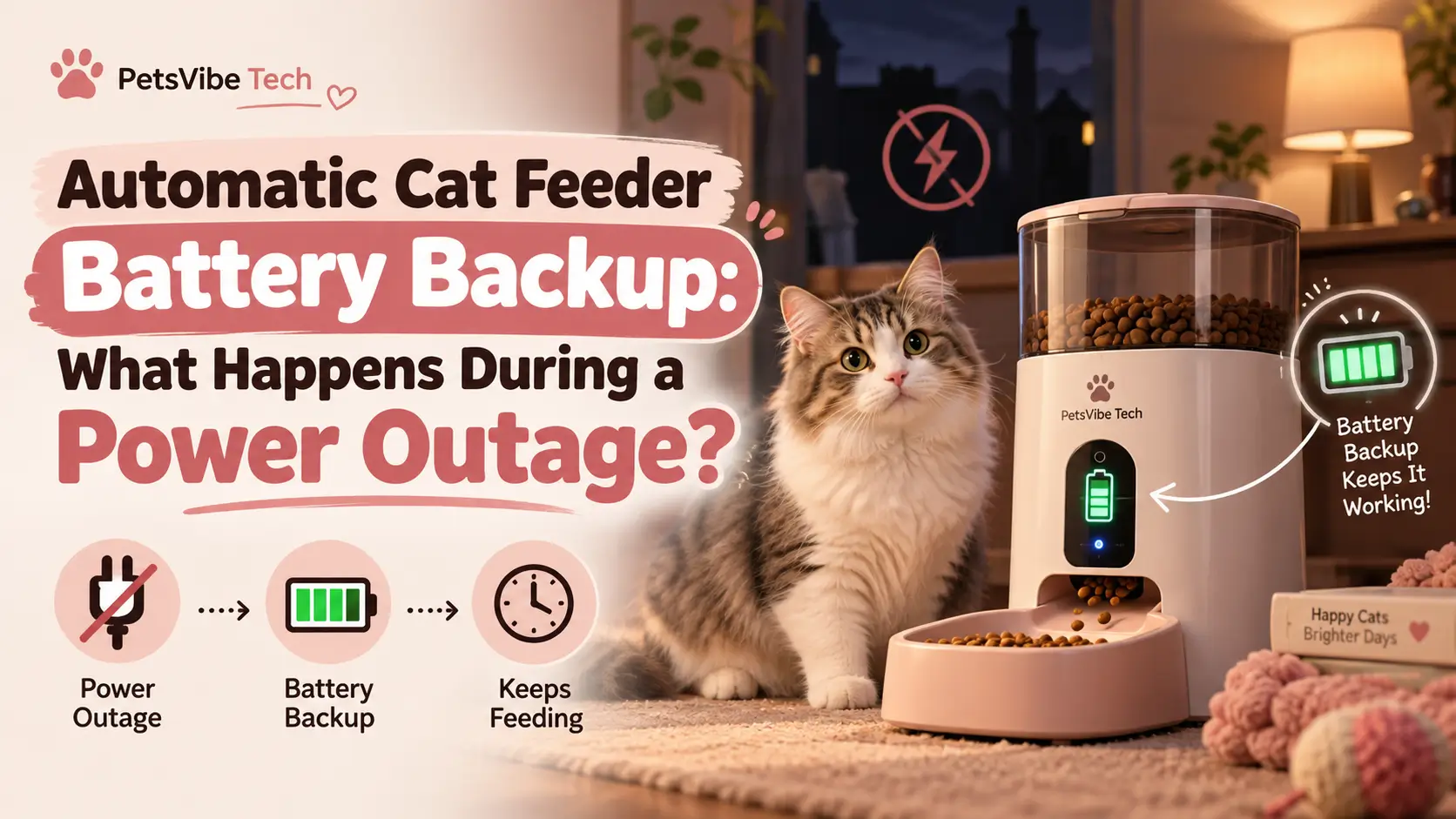
Automatic Cat Feeder Battery Backup: What Happens During a Power Outage?
An automatic cat feeder with battery backup can continue dispensing scheduled meals during a power outage, provided the model supports battery-powered feeding and its batteries have sufficient charge. However, Wi-Fi, cameras, app controls, and notifications may stop working. Exactly what continues depends on the feeder’s power system and stored feeding schedule.
Imagine you’re at work when the electricity suddenly goes out at home.
Your automatic feeder was supposed to serve your cat lunch in an hour. But now the router is offline, your smart home devices are disconnected, and you cannot reach the feeder through its app.
Will your cat still get fed?
The answer isn’t the same for every automatic feeder.
Some continue dispensing meals using replaceable batteries. Others have built-in rechargeable backup batteries. Certain smart feeders preserve their scheduled meals but temporarily disable connected features.
And some models simply stop operating when their main power source disappears.
This guide explains what actually happens during an outage, how backup batteries differ, and how to determine whether your feeder is dependable when electricity is unavailable.
Important: Battery backup reduces one potential cause of missed meals, but it cannot prevent food jams, empty hoppers, or other mechanical failures. Always maintain a way to check on your cat and provide food if the feeder stops working.
🔍 Quick Answer: Will an Automatic Cat Feeder Work During a Power Outage?
An automatic feeder will continue working during an outage only if it has an adequate alternative power source and supports the required functions on that power source.
Here’s what you should expect from different designs.
| Feeder Type | Scheduled Meals During Outage | Wi-Fi/App Functions | Main Limitation |
|---|---|---|---|
| Plug-in only | No, unless supported by external backup power | Usually unavailable | Requires continuous electricity |
| Battery-operated feeder | Usually yes, while batteries last | Depends on design | Battery depletion |
| Plug-in feeder with replaceable backup batteries | Model-dependent; often supported | May be disabled | Backup functionality varies |
| Feeder with built-in rechargeable backup | Model-dependent | Depends on model | Limited stored energy |
| Smart feeder with offline scheduling but no backup power | No during power loss | Unavailable | Offline operation still needs electricity |
The most important distinction is between internet independence and electrical independence.
A feeder may work perfectly without Wi-Fi while still requiring wall power.
Likewise, a battery-equipped feeder may continue feeding your cat while its app becomes temporarily unavailable.
📖 In This Guide
1. How Automatic Cat Feeder Battery Backup Works
2. What Happens When the Electricity Goes Out?
3. Which Features Continue Working on Backup Power?
4. Real Examples: PETLIBRO and PetSafe Feeders
5. How Long Do Automatic Feeder Backup Batteries Last?
6. Battery Backup vs Battery-Powered Feeders
7. How to Test Your Feeder Before a Power Outage
8. What to Do If the Battery Backup Fails
9. How to Choose a Reliable Backup-Powered Feeder
🔋 1. How Automatic Cat Feeder Battery Backup Works
Battery backup provides an alternative source of electricity when a feeder’s primary power supply becomes unavailable.
Most backup-equipped devices normally operate using an electrical adapter.
When wall power disappears, the feeder may switch to its batteries to continue selected operations.
The transition and supported functions depend on the model.
What Are the Main Types of Backup Systems?
There are three common approaches.
Replaceable backup batteries
These feeders use disposable batteries—often D-cell batteries—inside a dedicated battery compartment.
The batteries are intended to support operation during electrical interruptions.
Built-in rechargeable batteries
Some newer feeders contain a rechargeable battery that stores energy while the device is connected to electricity.
When power is interrupted, the stored energy can support operations for a limited period.
External backup power
A compatible external backup device may provide temporary electricity to certain feeders.
However, it must meet the feeder manufacturer’s electrical requirements.
An external power source should never be improvised using incompatible connectors, voltages, or adapters.
Does the Feeder Switch to Battery Power Automatically?
Many feeders designed with emergency battery backup can switch over without requiring the owner to press a button.
But don’t assume every device supports seamless switching.
Check whether the manufacturer explicitly confirms automatic backup operation.
You should also verify that saved meal schedules remain available after the transition.
Is Battery Backup the Same as a Rechargeable Feeder?
No.
A battery-backup feeder normally relies on a primary power source and uses batteries for emergencies.
A rechargeable feeder may be designed to operate cordlessly during normal use.
These differences affect charging frequency, expected runtime, portability, and available features.
⚡ 2. What Happens When the Electricity Goes Out?
During a power outage, several things may happen simultaneously.
Your feeder loses its normal electrical supply.
Your home router may also shut down.
And if your feeder relies on an internet-connected app, remote access may become unavailable.
However, these events affect different functions.
Scenario 1: The Feeder Has No Backup Power
A plug-in-only feeder normally stops operating when electricity is unavailable.
It cannot run its dispensing motor without power.
Some devices may remember schedules after electricity returns, but that does not mean they will automatically make up meals missed during the outage.
Never assume missed feedings will be delivered later.
Scenario 2: The Feeder Has Backup Batteries
If backup feeding is supported, the feeder may continue dispensing according to its locally stored schedule.
The motor and timing system must still receive sufficient electrical power.
Other functions, such as remote control or camera recording, may be disabled to preserve battery energy.
Scenario 3: The Feeder Has Backup Power but the Internet Is Down
The feeder may continue physically dispensing food even though its app shows the device as offline.
This is particularly important for smart feeders.
A disconnected app is not always proof of a missed meal.
But the reverse is also true: you should not assume a meal was delivered merely because the feeder supports offline schedules.
The actual food output still needs verification.
Scenario 4: Electricity Returns
When power is restored, the feeder may reconnect to Wi-Fi and restore connected features.
Some models also synchronize feeding records that were stored during the interruption.
Check the device’s schedule, error messages, and actual food output once power returns.
📱 3. Which Features Continue Working on Backup Power?
One of the biggest misconceptions about battery-backup cat feeders is that every feature continues operating normally.
In reality, many manufacturers prioritize physical food dispensing over higher-power smart features.
What Might Continue Working?
Depending on the model:
- Stored feeding schedules
- Portion dispensing
- Internal clock
- Certain local controls
- Basic status indicators
What Might Stop Working?
Depending on the design:
- Wi-Fi connection
- Remote app commands
- Camera recording
- Live video
- Cloud synchronization
- Voice recording or playback
- Some notification functions
Not all devices behave the same way.
Some newer feeders support a wider range of features on their rechargeable backup batteries.
Why Are Smart Features Sometimes Disabled?
A dispensing motor may operate only briefly at scheduled meal times.
A Wi-Fi connection or camera, however, can consume energy for much longer periods.
Disabling those functions can help conserve limited battery power.
For some owners, that’s a sensible trade-off.
The primary purpose of backup power is to maintain essential feeding rather than provide every connected feature.
🐈 4. Real Examples: PETLIBRO and PetSafe Feeders
Manufacturer documentation provides useful examples of how backup power differs between products.
These comparisons are based on published specifications rather than independent battery-runtime testing.
PETLIBRO Granary Smart Feeder (PLAF103)
PETLIBRO confirms that the Granary Smart Feeder PLAF103 continues executing previously saved feeding schedules when it is offline.
When operating only on backup batteries, the feeder disables certain controls and Wi-Fi functionality to conserve power.
Scheduled meals continue.
Once the feeder reconnects, offline feeding records can synchronize with the app.
Best understood as: A smart feeder that prioritizes stored meal schedules during backup-battery operation.
PETLIBRO Granary 2 Series
The newer Granary 2 family uses built-in rechargeable backup batteries.
According to PETLIBRO’s published specifications:
- Granary 2: Up to 24 hours of backup operation
- Granary 2 Vision: Up to 48 hours
- Granary 2 Vision Duo: Up to 48 hours
- Granary 2 X: Up to 48 hours
The manufacturer states that feeding schedules and supported smart functions continue during an outage.
These figures come from manufacturer testing and are not guaranteed real-world runtimes.
Actual battery performance depends on operating conditions.
The built-in battery is intended for emergency backup rather than permanent cordless use.
Best understood as: A more integrated emergency backup system with model-specific runtime claims.
PetSafe Smart Feed
PetSafe’s Smart Feed models support backup batteries.
The manufacturer’s documentation for the first- and second-generation Smart Feed describes four D-cell batteries that can maintain scheduled meals for up to seven days under the specified conditions.
PetSafe also emphasizes that these batteries are intended as backup power rather than a replacement for regular wall power.
Actual battery life can vary with use.
Best understood as: A plug-in smart feeder with a replaceable emergency battery option.
PetSafe Healthy Pet Simply Feed
The PetSafe Healthy Pet Simply Feed is a non-Wi-Fi automatic feeder that operates using four D-cell alkaline batteries.
It can also use a compatible optional wall adapter.
When the adapter is used as the primary power source, PetSafe describes batteries as a backup option.
This model is different from a feeder that requires Wi-Fi for programming.
Its feeding schedule is configured directly on the device.
Best understood as: A locally programmed feeder with battery operation and an optional adapter.
Backup Power Comparison
| Feeder | Backup Power Design | Published Feeding Behavior | Important Limitation |
|---|---|---|---|
| PETLIBRO Granary Smart PLAF103 | Replaceable batteries | Saved schedules continue | Wi-Fi and certain controls disabled |
| PETLIBRO Granary 2 | Built-in rechargeable battery | Scheduled meals continue | Up to 24 hours claimed under test conditions |
| PETLIBRO Granary 2 Vision / Duo / X | Built-in rechargeable battery | Scheduled meals continue | Up to 48 hours claimed under test conditions |
| PetSafe Smart Feed | Four D-cell backup batteries | Scheduled meals maintained | Up to seven days stated for documented models |
| PetSafe Healthy Pet Simply Feed | Four D-cell batteries, optional adapter | Locally programmed meals | No remote monitoring features |
Buying note: Check the exact model number and current manual before purchasing. Features can differ between product generations and regional versions.
⏳ 5. How Long Do Automatic Feeder Backup Batteries Last?
There is no universal battery-runtime figure for automatic cat feeders.
Battery performance depends on the energy source, feeder design, operating conditions, and how frequently meals are dispensed.
What Affects Battery Life?
The main factors include:
- Battery capacity and condition
- Number of scheduled meals
- Motor activity
- Portion size and dispensing duration
- Camera or connectivity functions
- Temperature and storage conditions
- Battery age
A feeder serving several large meals may use its motor differently from one serving fewer smaller meals.
Devices with active cameras or wireless features may also have different energy requirements.
Can a Battery-Backup Feeder Last Several Days?
Some can, according to manufacturer documentation.
For example, PetSafe reports backup operation of up to seven days for certain Smart Feed models.
PETLIBRO’s Granary 2 series uses shorter published emergency backup periods, with selected models rated for up to 24 or 48 hours.
These figures describe different designs and test conditions, so they should not be treated as directly equivalent independent performance measurements.
What About Rechargeable Battery Capacity?
Battery capacity is sometimes listed in milliamp-hours (mAh).
A larger mAh figure does not automatically mean longer operation across different feeders.
Voltage, energy consumption, and enabled functions also matter.
For practical buying decisions, prioritize documented runtime under relevant operating conditions rather than comparing battery-capacity numbers alone.
Can You Depend on the Maximum Advertised Runtime?
Use it as a reference, not a guarantee.
Leave a safety margin.
If a manufacturer advertises up to 24 hours of emergency operation, don’t build a feeding plan that assumes the battery will always perform perfectly for exactly 24 hours.
The more important question is whether the backup can cover a realistic interruption while another feeding arrangement remains available.
🔄 6. Battery Backup vs Battery-Powered Feeders
These two categories sound similar, but they serve slightly different needs.
Battery-Backup Automatic Feeders
A backup-powered model typically operates using a wall adapter during normal use.
Its batteries are reserved for an interruption.
Advantages include:
- Normal operation from a continuous power source
- Emergency protection during certain outages
- Less reliance on batteries for day-to-day power
Potential drawbacks include:
- Limited emergency runtime
- Model-specific backup functionality
- Battery replacements or charging maintenance
Fully Battery-Powered Feeders
A battery-powered model is designed to operate directly from batteries during normal use.
It does not necessarily need a wall outlet.
Advantages include:
- Flexible placement
- No dependence on a nearby wall socket
- Often simple offline scheduling
Potential drawbacks include:
- Ongoing battery consumption
- Battery replacement costs
- Potentially fewer connected features
Which Type Is Better?
| Your Situation | Better Starting Point |
|---|---|
| Occasional short power outages | Plug-in feeder with tested backup |
| No electrical outlet near the feeding location | Battery-powered feeder |
| You want local scheduling without an app | Non-Wi-Fi programmable feeder |
| You want cameras and connected features | Smart feeder with documented backup behavior |
| Extended, unpredictable outages | Backup-capable feeder plus a human care plan |
If your main concern is unreliable internet rather than electricity, read our guide:
Best Automatic Cat Feeders That Work Without Wi-Fi (This Year)
It explains which feeders operate independently of internet access and how offline scheduling differs from battery backup.
🧪 7. How to Test Your Feeder Before a Power Outage
A backup system is useful only if it works when needed.
Rather than waiting for an actual outage, verify its operation under controlled conditions.
The safest approach is to follow the manufacturer’s approved backup-power test procedure.
Step 1. Confirm Battery Compatibility
Check the exact battery type required.
Do not assume rechargeable batteries are suitable simply because they fit the compartment.
Some manufacturers specifically require alkaline batteries.
Step 2. Install or Charge the Backup Battery
Install fresh approved batteries or fully charge the built-in backup battery as instructed.
Check polarity and make sure the battery compartment is properly secured.
Step 3. Save a Test Feeding Schedule
Create a small scheduled meal at a convenient time.
Use an amount appropriate for testing, and make sure the feeder is properly assembled with compatible food.
Step 4. Simulate a Power Interruption
Only if the manufacturer permits it, temporarily disconnect the primary power adapter to check the backup function.
Do not open electrical housings or modify wiring.
If the manufacturer warns against this procedure, use its recommended alternative.
Step 5. Observe the Device
Check whether the feeder remains powered.
Notice whether its display, buttons, Wi-Fi, or app functions change.
These changes may be normal during battery operation.
Step 6. Verify Actual Food Dispensing
Observe the scheduled feeding.
Do not rely entirely on an app notification or indicator light.
Confirm that food actually reaches the bowl.
Step 7. Restore Normal Power
Reconnect the approved main power source.
Check that the saved feeding schedule and device clock remain correct.
If your feeder uses Wi-Fi, verify that the connected features return as expected.
Step 8. Record the Results
A short checklist can help you identify changes later.
| Test | Result to Verify |
|---|---|
| Backup battery installed | Correct type and adequate charge |
| Main power disconnected | Feeder remains operational if supported |
| Scheduled meal occurs | Food physically reaches bowl |
| Power restored | Normal operation resumes |
| Feeding schedule checked | Correct times and portions retained |
| App reconnected | Connected functions restore if supported |
Repeat the manufacturer’s recommended checks after battery replacements, firmware changes, or unusual power behavior.
🛠️ 8. What to Do If Your Cat Feeder Battery Backup Fails
A feeder may have backup batteries installed yet still stop dispensing when wall power disappears.
Several issues can explain this.
Problem 1. Backup Batteries Are Depleted
Batteries can lose charge over time, including while stored.
Replace them with the approved type and test again.
Problem 2. Incorrect Battery Type
Some feeders require specific battery chemistry or voltage.
Using unsupported batteries may cause unreliable operation.
Follow the manufacturer’s specifications.
Problem 3. Dirty or Damaged Battery Contacts
If battery contacts are visibly dirty or corroded, follow the official cleaning or service procedure.
Do not scrape, bend, or chemically treat electrical contacts without appropriate guidance.
Problem 4. The Feeder Was Never Configured Correctly
Some smart feeders need their feeding schedules saved before they can continue operating independently.
If a schedule exists only as an unsaved app change, the feeder may not perform as expected.
Verify stored settings before testing backup operation.
Problem 5. The Device Disables Certain Features
An app that suddenly reports the feeder as offline may reflect normal battery-saving behavior.
Check whether the feeder is physically dispensing food before concluding that backup power has failed.
Problem 6. Mechanical Dispensing Failure
Even a correctly powered feeder can fail because of a kibble jam or damaged motor.
Power backup and mechanical reliability are separate concerns.
For detailed instructions on diagnosing dispensing failures, see:
Automatic Cat Feeder Not Dispensing Food? 9 Fixes That Actually Help
This guide covers food blockages, motor problems, incompatible kibble, and feeding schedule errors.
When Should You Contact Support?
Contact the manufacturer if:
- Approved replacement batteries do not restore backup operation.
- The feeder cannot retain its saved schedule.
- The battery compartment is damaged.
- Backup operation stops unexpectedly despite adequate charge.
- The feeder makes abnormal noises or shows electrical damage.
- A rechargeable battery no longer functions as specified.
Stop using any device with visible electrical damage, swelling batteries, overheating, or a burning smell.
Never attempt to repair a sealed rechargeable battery yourself.
🛒 9. How to Choose a Reliable Backup-Powered Feeder
If you’re buying a new feeder primarily because of power outages, don’t select one based only on the phrase “battery backup” in the product listing.
Instead, evaluate how the device performs when its main power disappears.
1. Confirm That Scheduled Feeding Continues
The most important feature is the feeder’s ability to dispense food using its backup source.
Check that this is explicitly documented.
2. Review the Backup Runtime
Look for a published runtime estimate.
Remember that manufacturer estimates may not reflect every household’s operating conditions.
3. Check Which Functions Remain Available
If you rely on camera monitoring, app notifications, or remote feeding, confirm whether those features continue during an outage.
4. Understand the Battery Type
Determine whether the feeder requires disposable batteries or includes a rechargeable backup.
Consider ongoing maintenance and replacement requirements.
5. Check Local Schedule Storage
A locally stored schedule can help a feeder continue feeding without an internet connection.
But the device still needs adequate electrical power.
6. Look for Accessible Maintenance
Choose a feeder with an accessible bowl, hopper, and food pathway.
A functioning battery cannot solve a blocked dispensing mechanism.
7. Consider Your Cat’s Feeding Needs
Cats with scheduled medication, medically prescribed feeding times, or special dietary requirements may need closer supervision.
A feeder should support an appropriate care plan, not replace it.
8. Check Manufacturer Support
Review the availability of manuals, replacement components, warranty service, and technical support.
These factors matter when a power or dispensing problem occurs.
🐾 Is It Safe to Leave Your Cat Alone During a Power Outage?
An automatic feeder with battery backup can reduce the risk of missed meals.
However, it should never be treated as a complete emergency care system.
A power outage may affect more than food dispensing.
It can also interfere with:
- Water fountains
- Climate control
- Home monitoring equipment
- Internet connectivity
- Other connected pet devices
A battery-backup feeder cannot address every one of these issues.
What Should You Prepare?
Keep a practical backup plan that includes:
- An adequate supply of your cat’s normal food
- Clean drinking water in a separate bowl
- Emergency contact information
- A trusted person who can check your cat
- Manufacturer instructions for the feeder
- A way to provide meals manually if automation fails
If your cat has diabetes, requires medication with meals, or has another condition requiring tightly controlled feeding, discuss an emergency plan with your veterinarian.
Do not assume an automatic feeding device removes the need for human supervision.
❓ Frequently Asked Questions
1. Will an automatic cat feeder work during a power outage?
It can if the feeder supports battery-powered operation and has sufficient battery charge. Some models continue scheduled meals, while others require wall electricity. Check the manufacturer’s specifications.
2. Do all automatic cat feeders have battery backup?
No. Some are plug-in only, some operate entirely on batteries, and others use batteries as an emergency backup. Never assume battery backup is included.
3. Will my automatic feeder still dispense food without Wi-Fi?
Some smart feeders continue using locally stored schedules while offline. Fully non-Wi-Fi models do not require an internet connection for scheduling. Electrical power is still necessary.
4. How long does an automatic cat feeder battery backup last?
Runtime varies by model. PETLIBRO advertises up to 24 or 48 hours for different Granary 2 models, while PetSafe documents up to seven days for certain Smart Feed backup systems. Actual performance may vary.
5. Does battery backup keep the cat feeder camera working?
Not always. Some feeders disable camera and Wi-Fi features to save energy. Other models support additional functions using built-in rechargeable backup power. Check the exact model.
6. Can I use batteries as the main power source?
Only if the manufacturer permits it. Some feeders are designed for normal battery operation, while others specify that batteries should be used only during emergencies.
7. Will my cat feeder remember its schedule after an outage?
Many models retain locally stored meal schedules, but this is not universal. Confirm whether your specific device preserves its settings during power loss.
8. Can I use rechargeable batteries in a cat feeder?
Only when approved by the manufacturer. Some models specifically require disposable alkaline batteries. Do not substitute batteries based only on physical size.
9. Why did my feeder stop working even with backup batteries installed?
Possible causes include depleted batteries, incorrect battery type, poor electrical contact, mechanical blockage, or a device fault. Follow the manufacturer’s troubleshooting instructions.
10. Is battery backup worth paying extra for?
It can be useful when power outages are a realistic concern. But consider backup runtime, maintenance, supported functions, and the feeder’s overall reliability before buying.
✅ Final Verdict: Is Automatic Cat Feeder Battery Backup Worth It?
An automatic cat feeder battery backup is worth considering if you want extra protection against missed meals during electricity interruptions.
However, backup systems are not all equal.
Some feeders continue only essential dispensing functions. Others retain a wider selection of smart features.
The most important buying consideration is not the size of the battery or the number of advertised features.
It’s whether the feeder can reliably deliver its scheduled meals when the primary power source fails.
Before depending on backup power, verify the manufacturer’s specifications, install the correct batteries, and perform an approved supervised test.
And always maintain a practical alternative feeding plan.
Battery backup adds an important layer of protection—but your cat’s safety still depends on reliable food access and human care.